After you buy, everything you need is on one page. Here is what each part is for, in the order you will use it.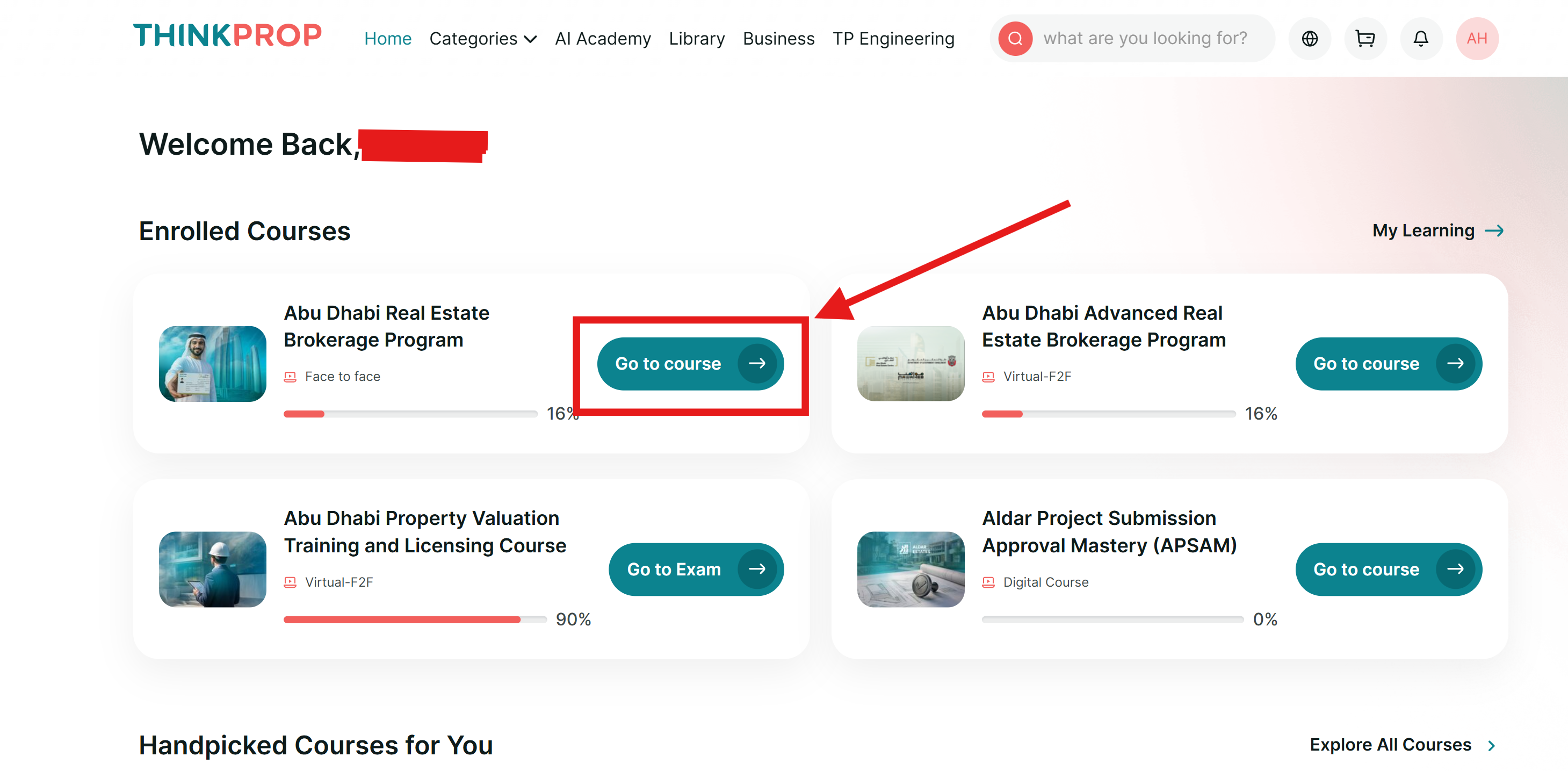
1. Your invitation or session link
After purchasing a course, you will see one of two options, depending on the course format.
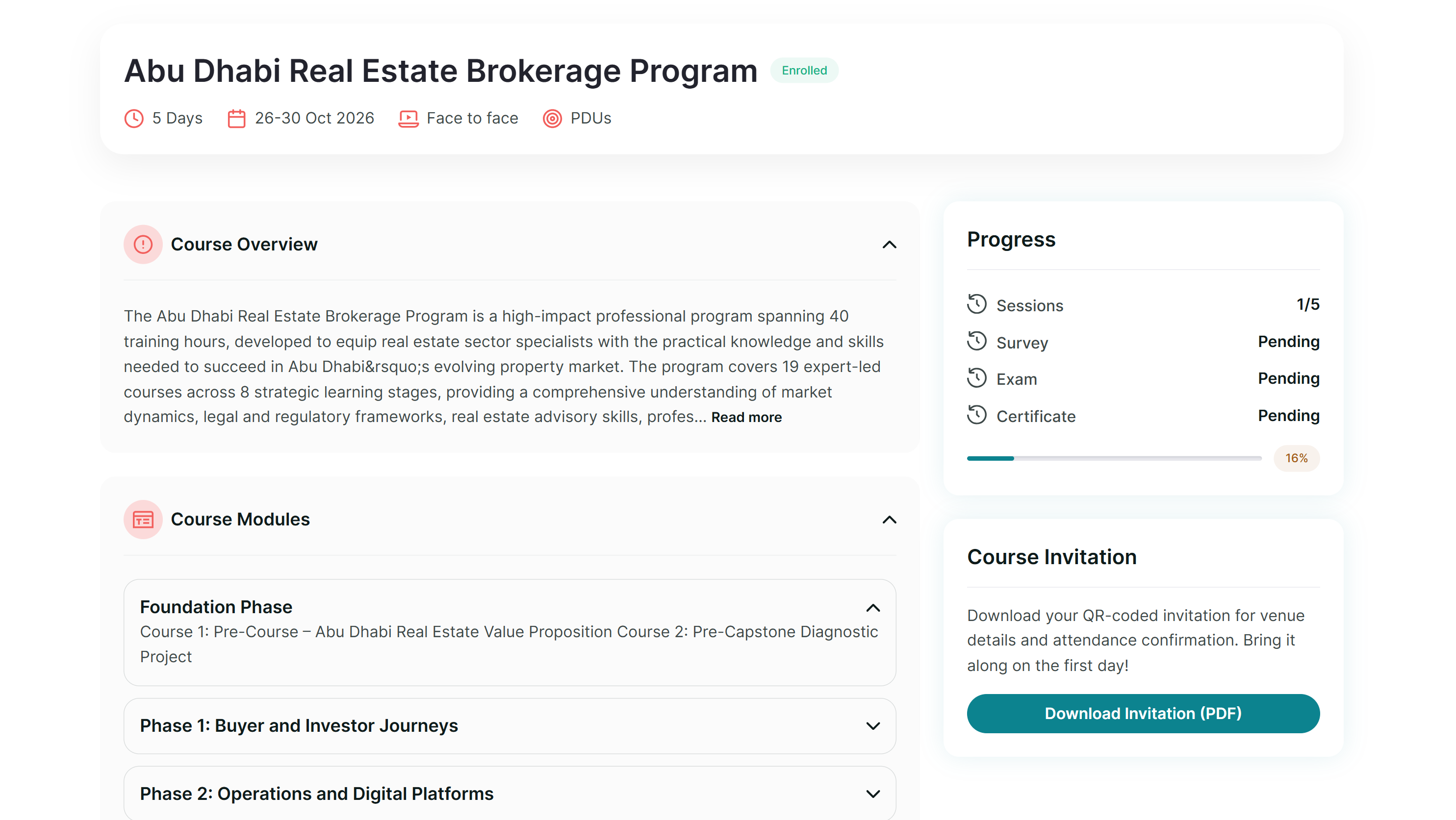
Online courses show a Session Link button instead. This takes you to the Zoom meeting for your session, and becomes available shortly before the session starts.
For a face-to-face course, your attendance is marked by scanning your invitation on site. Download it before the day — and remember that attendance is one of the things the exam waits on.
2. Course overview and modules
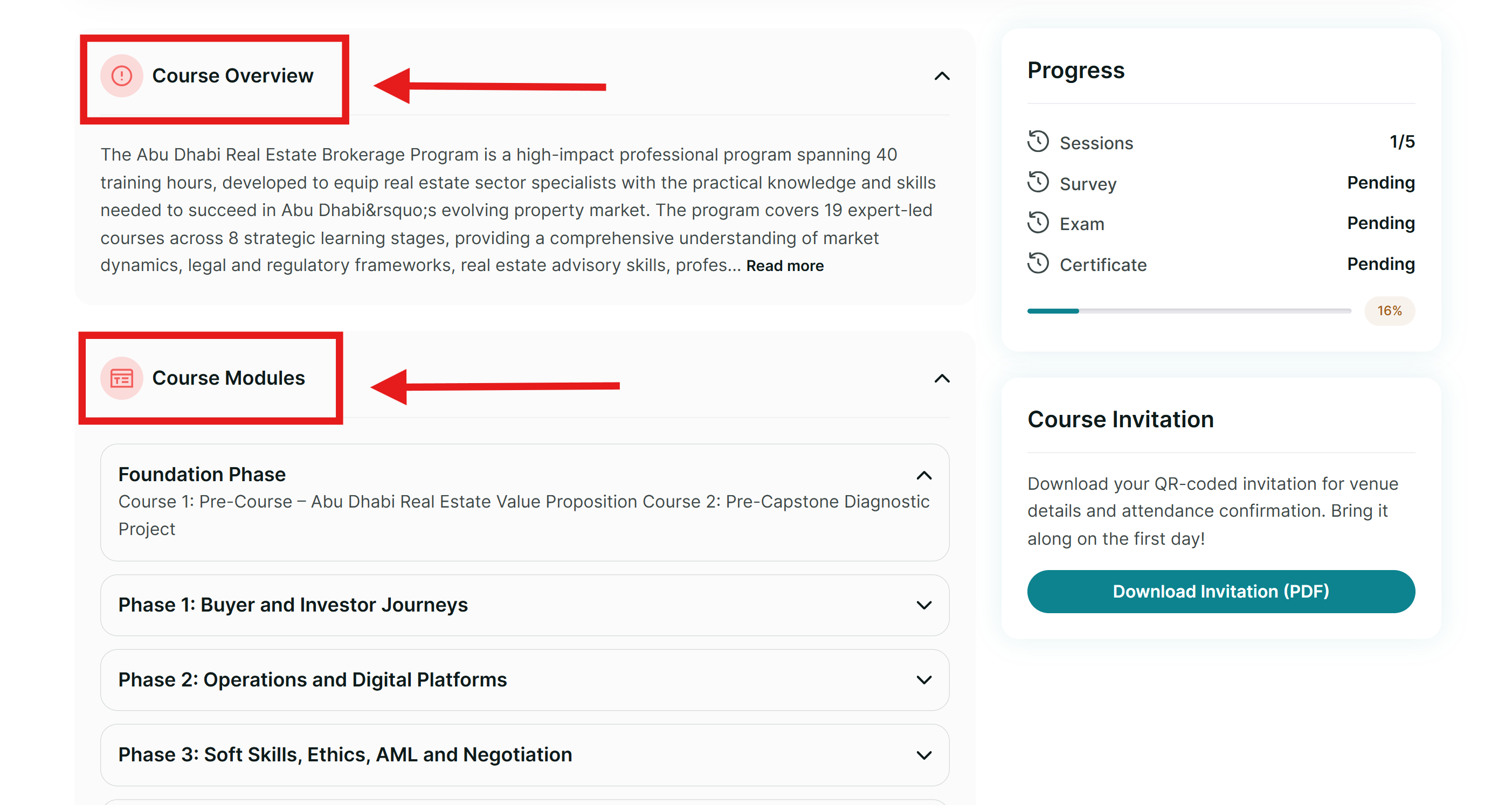
- Course Overview gives you a quick summary of the course.
- Course Modules goes into more detail, explaining what each module will teach you.
3. Progress indicator
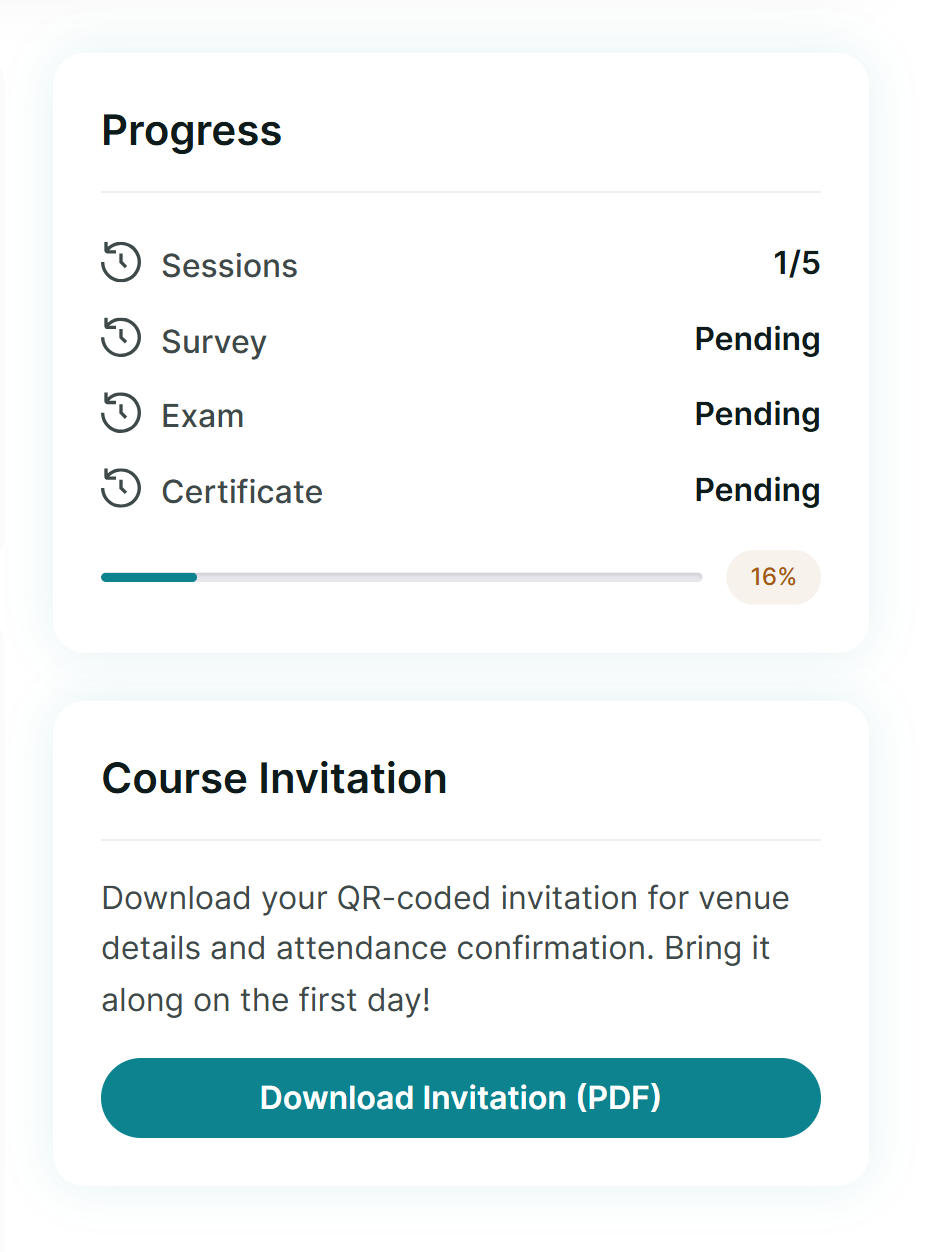
- Attending your sessions, tracked in the Sessions tab
- Completing the survey
- Passing the exam, if your course has one
If you are not sure what is still outstanding before your certificate, this is the one place that tells you.
4. Course materials
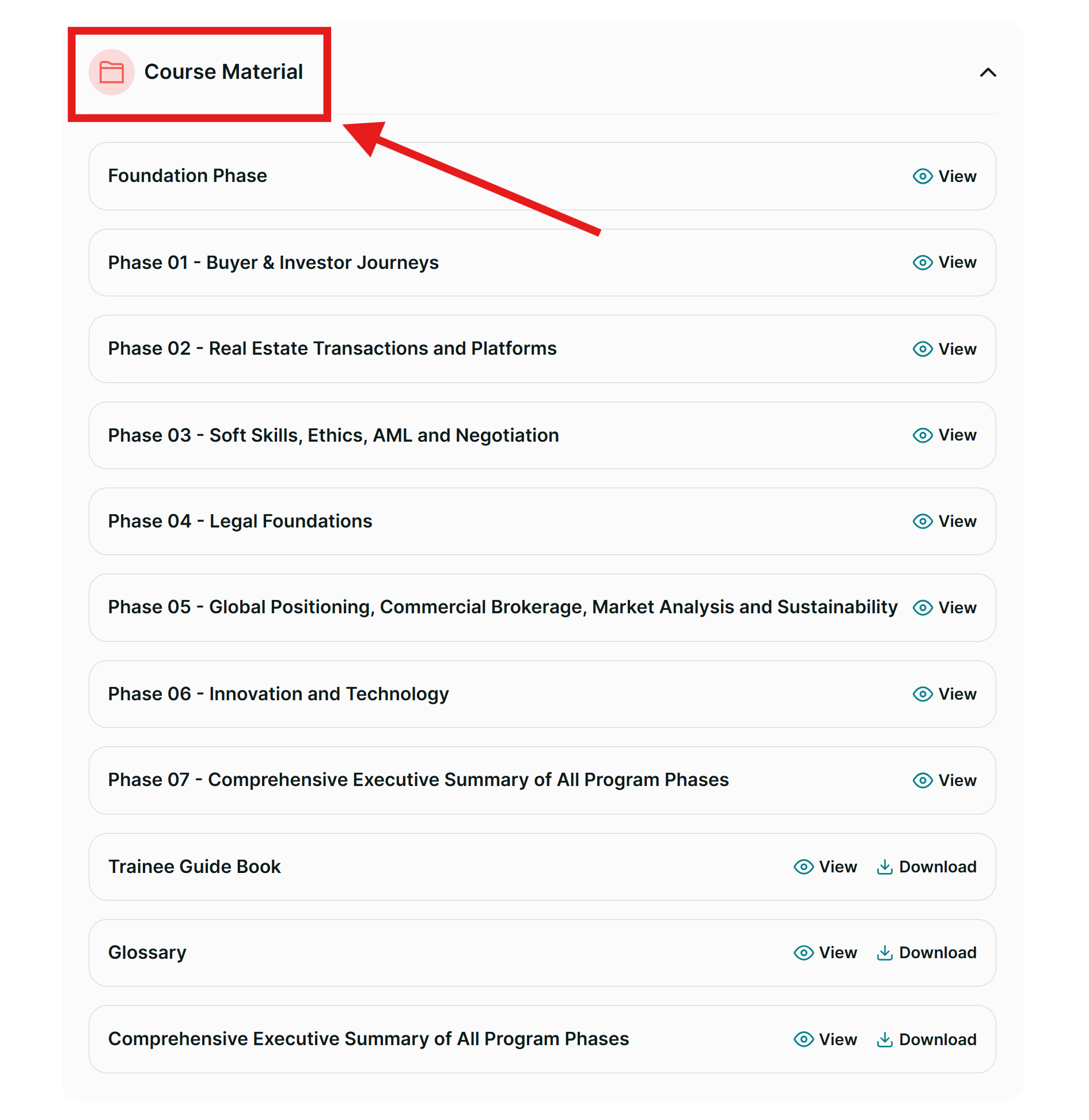
- Modules or books for each phase, for longer programmes, or
- A course summary to help you prepare.
5. Sessions
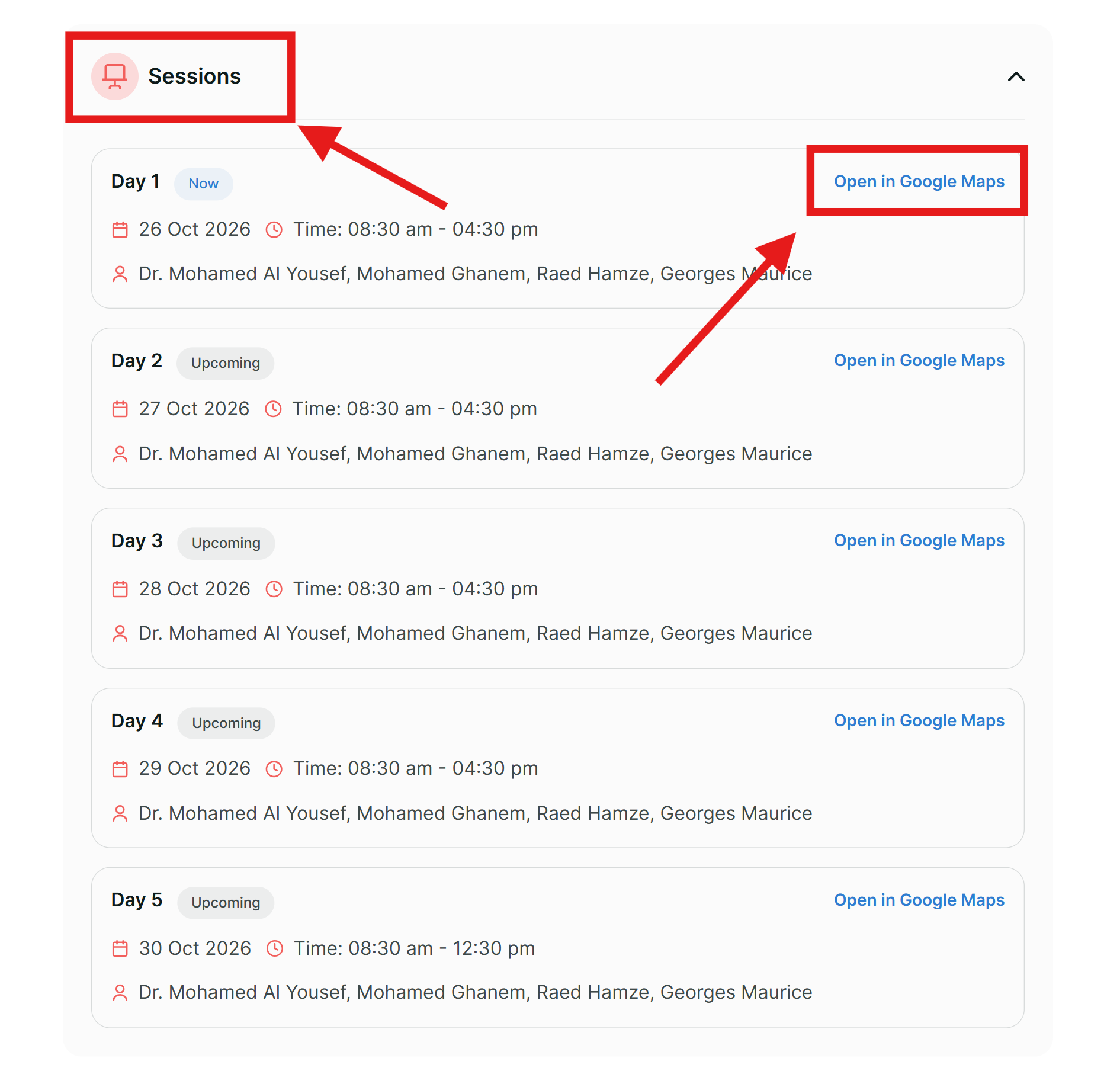
- Face-to-face: the link shows the session location.
- Online: the link opens the Zoom session for that day.
6. Getting into your exam
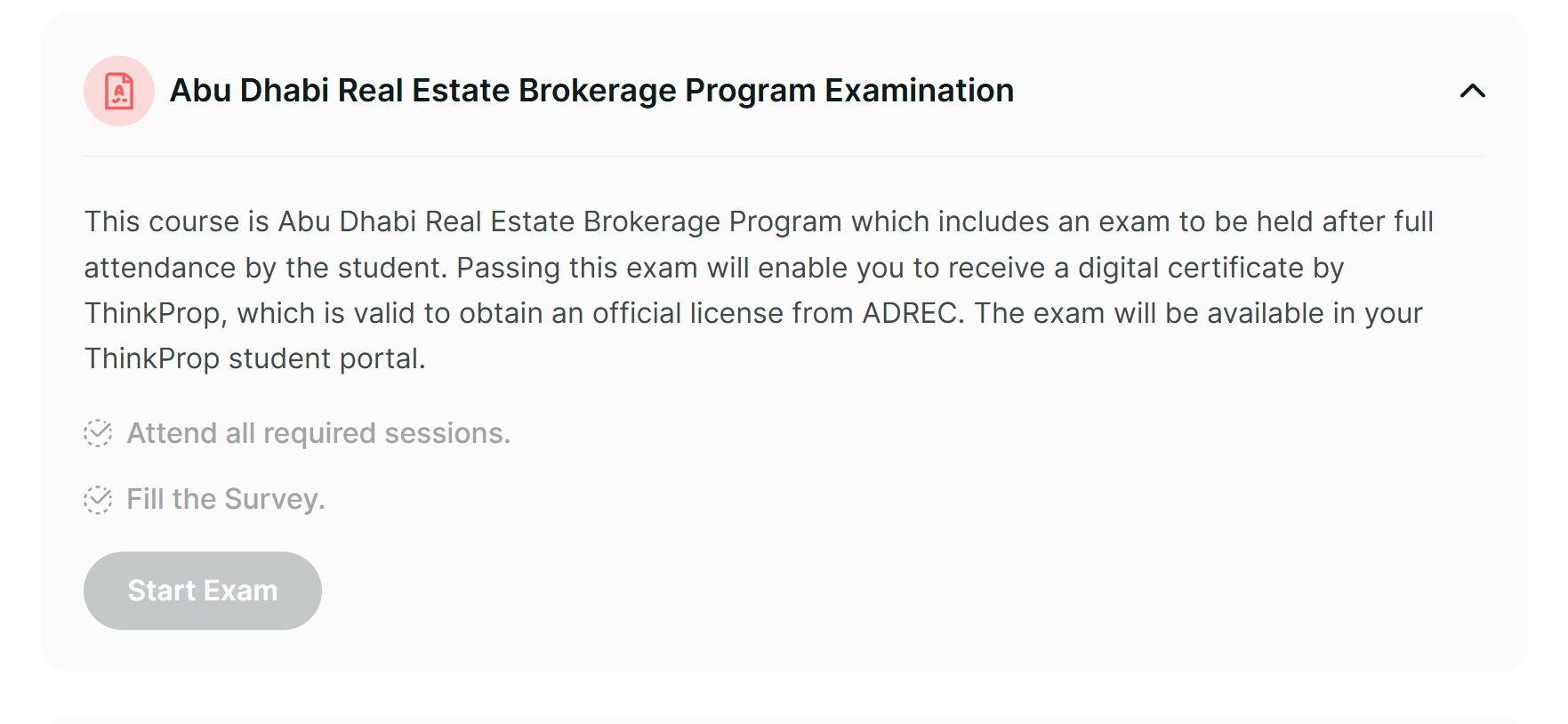
Check the Sessions section for any missed attendance, and make sure your survey is complete. Those are the two things that hold an exam shut.
To set up SMOWL and get ready for your exam, see our SMOWL guide. It walks you through everything from setup to starting your exam.
Was this article helpful?
That’s Great!
Thank you for your feedback
Sorry! We couldn't be helpful
Thank you for your feedback
Feedback sent
We appreciate your effort and will try to fix the article